
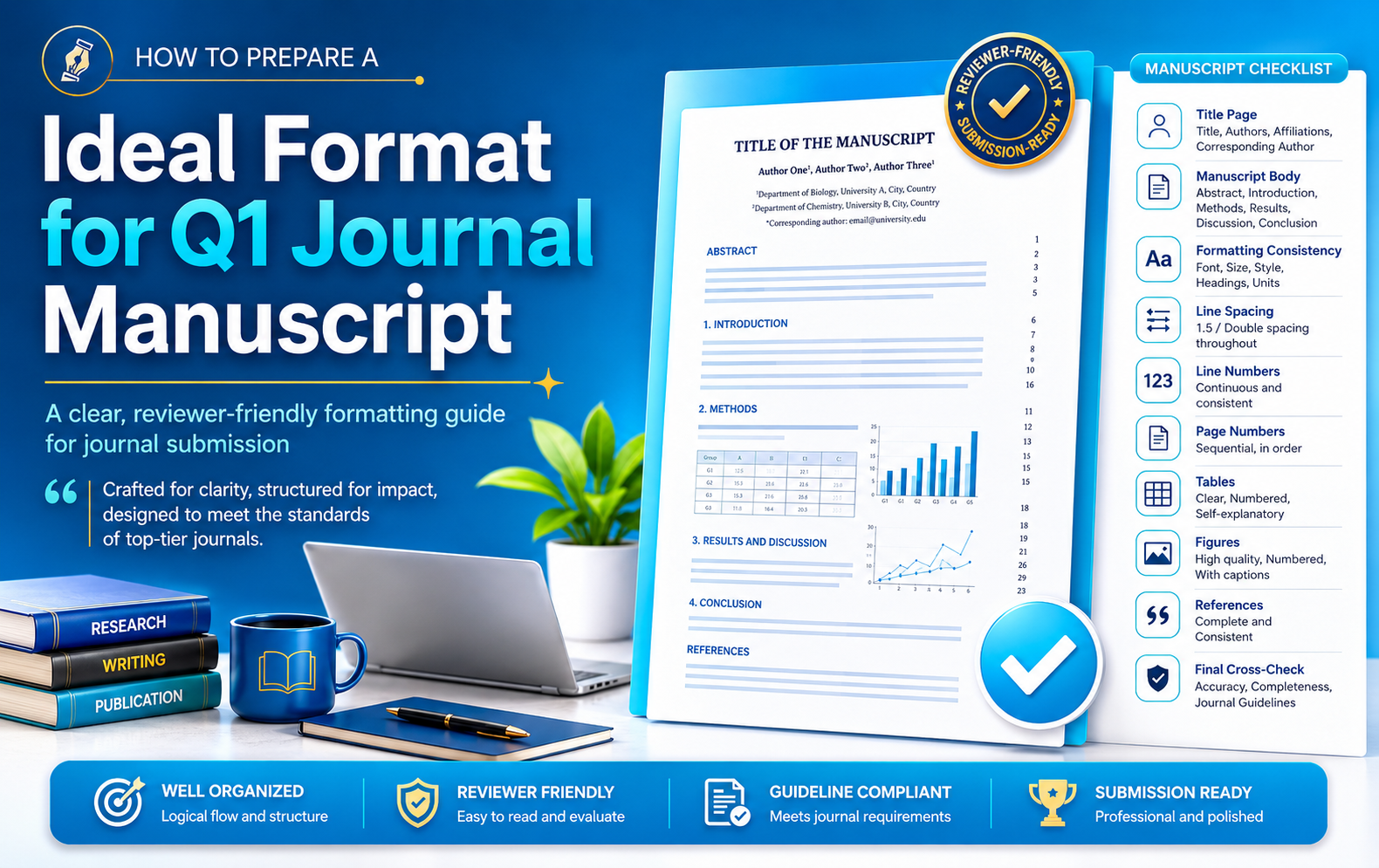
Ideal Format for a Q1 Journal Manuscript
A practical, submission-ready free-format workflow for preparing a clear, consistent and reviewer-friendly manuscript without spending hours rebuilding the document for every new journal.
English Guide — Basic to Advanced
1Arrange the Initial Submission as One Logical FileBuild a complete manuscript that an editor can open, scan and understand without searching through multiple files.Title pageMain textReferencesTables & figures⌄
Recommended order
- Manuscript title
- Author names and affiliations
- Corresponding-author details
- Abstract and keywords
- Main manuscript body
- Acknowledgements, funding, conflicts and other declarations
- References
- Tables with titles and notes
- Figures with captions
2Use a Widely Accepted Academic FontChoose a neutral, readable typeface that works across operating systems and journal workflows.Times New RomanReadableCompatible⌄
Times New Roman remains a reliable default for a free-format manuscript because it is familiar, compact and broadly compatible. Use the same font throughout the body, headings, captions and tables unless scientific symbols require a specialist font.
3Keep the Body Text at 11 or 12 PointsBalance comfortable reading with a reasonable document length.11 pt12 ptConsistent scale⌄
Use 11 or 12 pt for the body. Make main headings slightly larger and bold, while keeping table text readable. Avoid shrinking references or captions so much that reviewers must zoom in.
4Apply Double Line SpacingGive reviewers enough visual space to read, annotate and compare sections.2.0 spacingReview-friendlyReadable⌄
Double spacing is a practical choice for the main text because it reduces visual crowding and makes detailed review easier. Keep the same setting throughout unless compact table content requires a controlled exception.
5Use Consistent Paragraph AlignmentA uniform text block creates a neat and professional appearance.JustifiedConsistentProfessional⌄
Justified alignment can create a clean page with even left and right edges. Check for excessive word gaps, especially in narrow table cells or long technical terms. Where justified spacing becomes distracting, left alignment is preferable to forced visual uniformity.
6Insert Continuous Line NumbersAllow editors and reviewers to identify an exact sentence without copying long passages.ContinuousReview commentsRevision accuracy⌄
Use continuous line numbering from the first page to the final page. Avoid restarting line numbers on every page unless the journal requests it. Continuous numbering makes responses to reviewers faster and less ambiguous.
7Add Sequential Page NumbersMake long manuscripts easy to navigate for authors, reviewers and editors.FooterSequentialEasy navigation⌄
Place page numbers in a simple footer position and keep the numbering continuous. Avoid decorative footer elements that may be mistaken for journal production material.
8Set Paragraph Spacing to 6 pt Before and AfterSeparate ideas clearly without relying on repeated empty paragraphs.Before 6 ptAfter 6 ptClean rhythm⌄
Use paragraph settings rather than pressing Enter repeatedly. A controlled 6 pt before-and-after spacing produces predictable layout and avoids hidden blank paragraphs that later disrupt tables or page breaks.
9Create Visual Separation Before Every HeadingHelp readers recognize the manuscript structure immediately.Blank lineHeading hierarchyScanability⌄
Leave a clear space before each main heading and subsection. Use paragraph spacing or Word styles rather than manual blank lines whenever possible, so the layout remains stable after editing.
10Number Sections and Subsections SystematicallyCreate an easy-to-follow hierarchy for original articles and review papers.11.11.1.1Navigation⌄
Use a logical numbering pattern such as 1, 1.1 and 1.1.1. Keep the hierarchy shallow; excessive levels can make the paper difficult to follow. Apply the same system to review manuscripts when thematic organization is complex.
11Use a Standard Page SetupBegin with a neutral page size and margins that remain suitable across journals.A4Portrait1-inch marginsLandscape exception⌄
Use a landscape section only when a wide table or figure cannot be presented clearly in portrait orientation. Insert section breaks carefully so page numbering and headers remain consistent.
12Standardize Tables and FiguresUse a consistent visual system that can be separated into individual files later.Consistent styleNew pageTitles & captionsHigh resolution⌄
- Keep font, border weight, alignment, decimals and abbreviations consistent across all tables.
- Start each major table and figure on a new page in the combined submission file.
- Place a table title and explanatory notes with the table.
- Place each figure caption with or immediately after the corresponding figure.
- Ensure every object is cited in numerical order in the main text.
- Retain original high-resolution figure files for separate upload.
13Use a Reference Manager from the BeginningAvoid manual reformatting when the manuscript moves to another journal.MendeleyZoteroEndNoteStyle switching⌄
Insert citations through a reference manager rather than typing them manually. Before submission, check imported metadata—author names, title capitalization, journal, year, volume, pages and DOI. Automated formatting is only as accurate as the stored record.
14Keep Headers and Footers NeutralAvoid carrying template-specific journal text into a free-format submission.Page number onlyNo journal brandingNo manuscript ID⌄
Remove journal names, copyright statements, old manuscript IDs, confidential-review labels and template instructions. A simple page number is generally enough unless the submission system asks for something additional.
15Remove Track Changes, Comments and Hidden Revision MaterialSubmit a clean file that does not expose internal discussion or outdated edits.Accept changesDelete commentsInspect documentHidden text⌄
- Accept or reject all tracked changes.
- Delete every comment and reply thread.
- Use Word's document inspection tools to check hidden text, properties and previous revision data.
- Save, close and reopen the final file before uploading.
16Apply One Clear Rule for AbbreviationsDefine each term at first use and avoid unnecessary shorthand.Full term firstThen abbreviationConsistency⌄
Write the complete term first, followed by the abbreviation in parentheses. Use the abbreviation consistently afterward. Redefine it in a table or figure caption when the caption must stand alone.
17Cross-Check Tables, Figures and References Before UploadVerify that every citation points to a real, correctly numbered item.Table citationsFigure citationsReference matchingFinal QA⌄
- Every table cited in the text exists and is numbered in order.
- Every figure cited in the text exists, has a caption and is numbered in order.
- Every in-text citation appears in the reference list.
- Every reference-list item is cited at least once in the manuscript.
- Cross-references still point to the correct object after editing.
- The abstract, title, keywords and conclusions use consistent terminology.
Final Submission Checklist
Important distinction
A free-format manuscript is a standardized initial-submission document, not permission to disregard journal policies. Always check required declarations, word limits, anonymization rules, file types, graphical-abstract requirements and any compulsory reporting checklist before submission.